Officially released · Not offered on this site

Kling 4.0 AI Video Generator: Features and Site Availability

Kling 4.0 is officially released. Review its published video features, Flash, and upcoming capabilities. This site has not connected 4.0; generate with Kling 3.0 here.

Kling 4.0 is not offered here

The official model has been released. This site has not connected Kling 4.0 and does not offer its generation or pricing. Create a short video with the available Kling 3.0 editor.

Generate with Kling 3.0 ↗
Have a video in mind?

Turn your idea into a prompt or animate a source image with Kling 3.0 Standard or Pro.

Read the current-site generation guide →

Official release and site availability

What Is Kling 4.0?

Kling 4.0 is an officially released AI video model. Its announcement says it opened to all users on October 15. This independent site explains the published capabilities but has not connected the model. The available generator here still uses Kling 3.0 Standard and Pro.

A published model

The official release covers text, image, start/end-frame, and mixed-reference workflows. It gives concrete duration, resolution, and reference limits. Read those as model specifications; they are not options you can select in this site's editor.

An independent information page

This page separates official capabilities from current site access. It offers no Kling 4.0 submission form, subscription, or credit rate. The official demos below pair the provider's published inputs with its outputs; they are not videos generated on this site.

A practical next step

Check whether your task needs the new model's longer duration or reference control. A short text or single-image shot may fit the existing 3.0 editor. A task that depends on 4.0 requires a service that actually provides it.

Official model specifications

Kling 4.0 Features

The official announcement describes the following capabilities. This site has not generated or benchmarked Kling 4.0 videos, so the specifications below are attributed to the provider rather than presented as our test results.

Official Kling 4.0 demo 22s

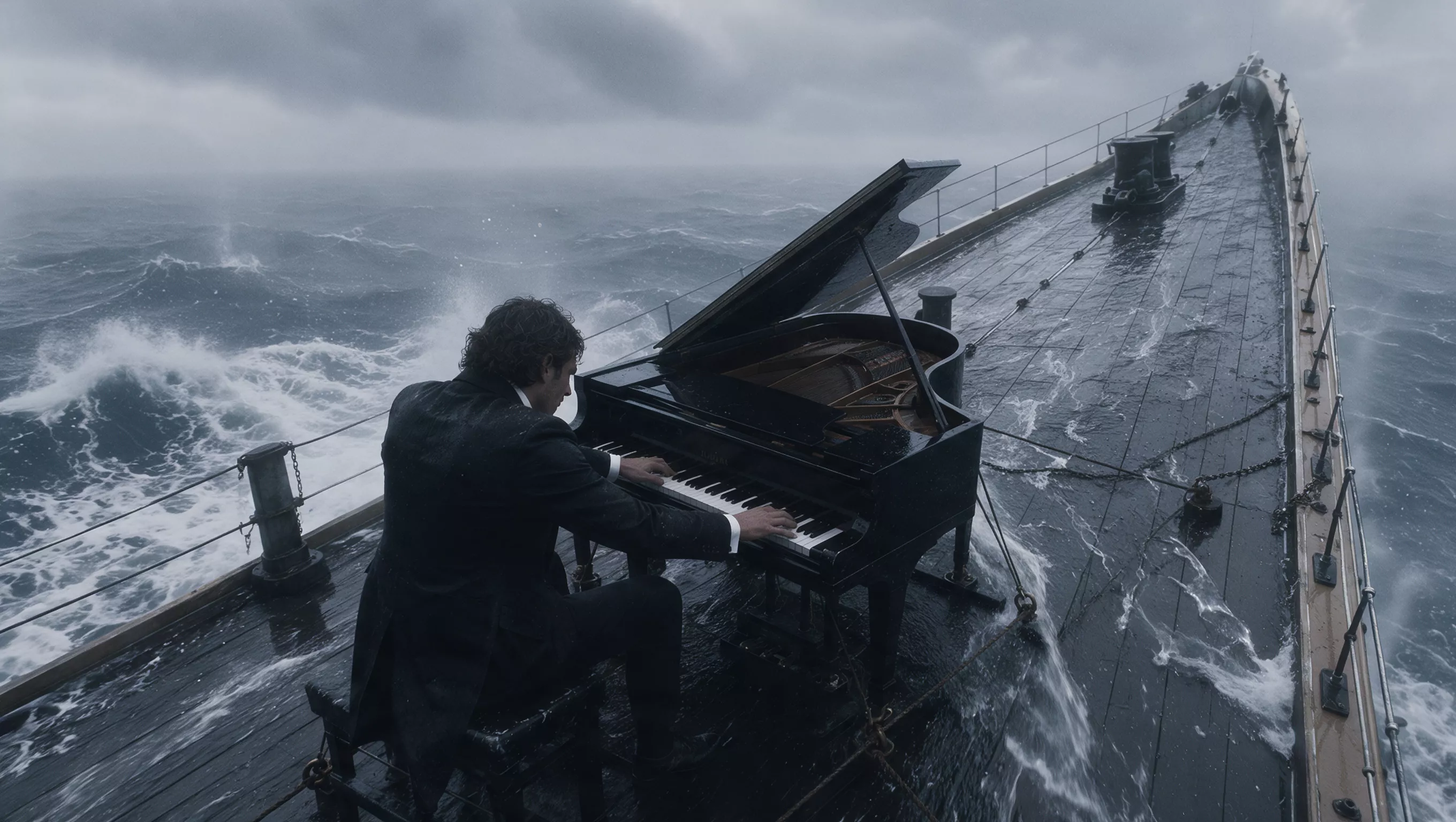
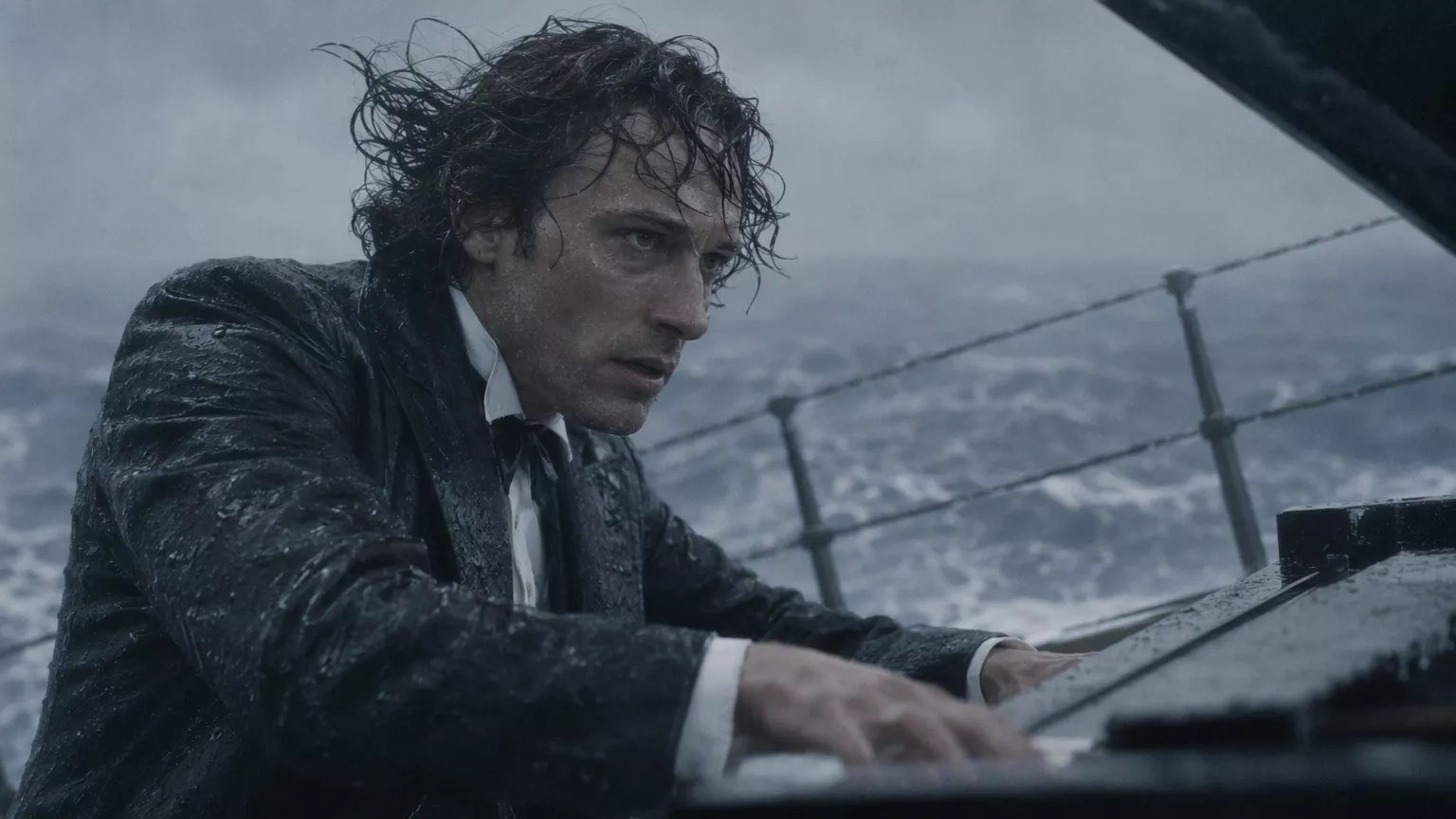
A storm at sea

Official output

Select Play to load this video.

Input references

Official keyframe of a ship crossing heavy seas
Official keyframe 1
Official keyframe of the pianist aboard the ship
Official keyframe 2
Official close-up keyframe of the pianist's hands
Official keyframe 3
Official keyframe of the pianist at the piano on the ship
Official keyframe 4

Watch for: The sequence moves from the ship in heavy seas to the pianist and his hands, then returns to a wide view.

Official Kling 4.0 demo 15s

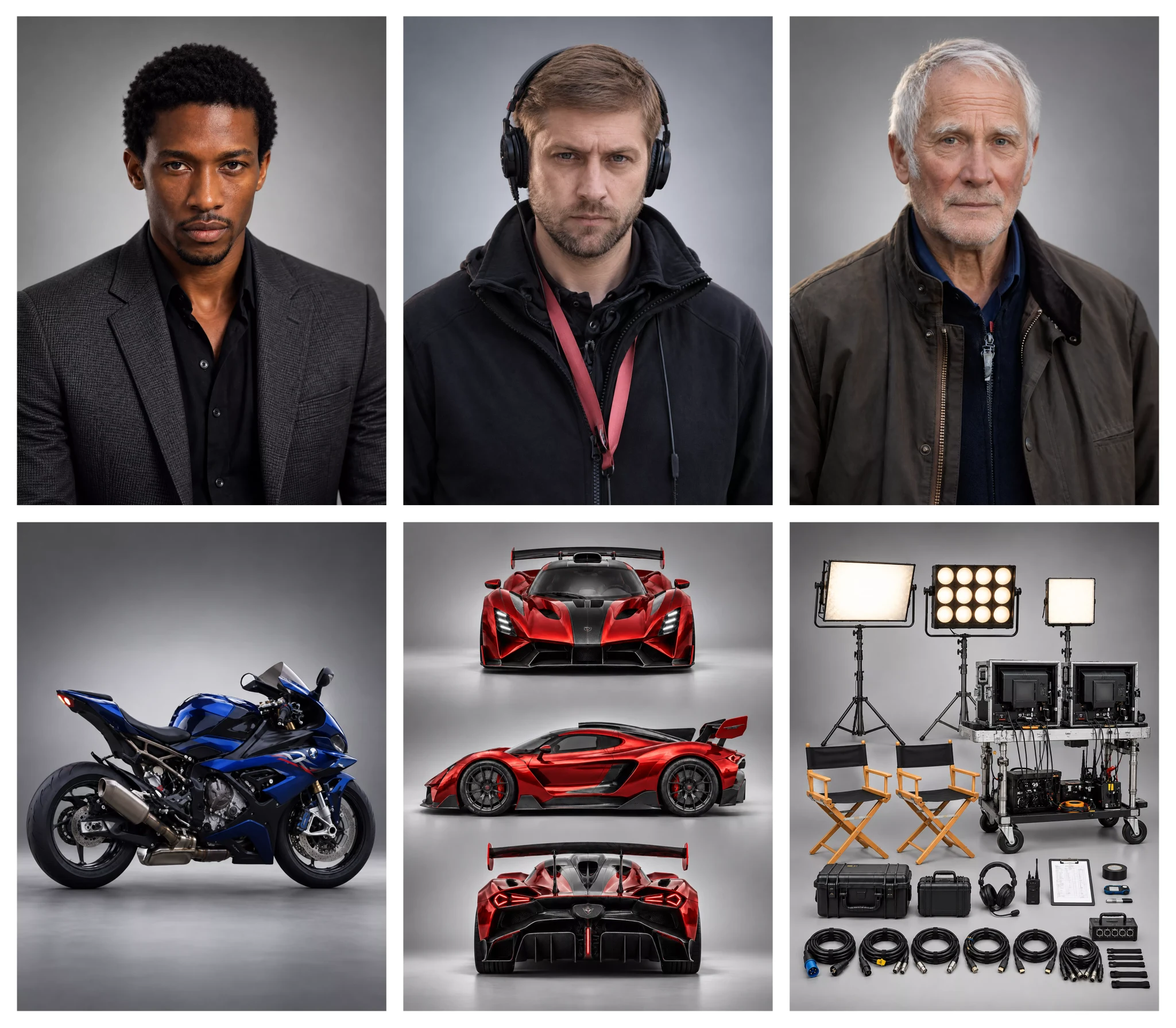
Characters in an action sequence

Official output

Select Play to load this video.

Input references

Official reference collage with three adult characters, a motorcycle, a red car, and film equipment
Official reference input 1

Watch for: The reference collage brings three characters, vehicles, and film-set elements into a sequence with a moving car, an explosion, and a landing.

01

Longer narratives and keyframes

The regular model lists 3–30-second native generation, up to ten keyframes, and text input up to 8,000 tokens. Tokens are not a character allowance. Use keyframes to plan important story moments, then check motion and continuity throughout the returned clip.

  • 3–30-second official range
  • Up to ten keyframes
  • 8,000-token text limit
02

Images and video references

The published limits are up to ten images and five video references, with referenced video totaling no more than thirty seconds. Mixed reference inputs share a fifteen-item total limit. Do not add the individual maxima together or treat them as upload limits for this site.

  • Give each reference a purpose
  • Check the combined limit
  • No reference uploader here
03

Audiovisual and text output

The release lists 720p, 1080p, and 4K; stereo audio; and changes to lip synchronization and multilingual text rendering, including Emoji and logos. Review dialogue, faces, spelling, and brand details in any result. These features do not guarantee that every generated frame or word will be correct.

  • Stereo audio specification
  • Multiple output resolutions
  • Review rendered text carefully

Plan around the task

Kling 4.0 Use Cases

Published specifications help plan a production, but they do not prove a particular result. Define the material, narrative, and review criteria before choosing a service.

Official Kling 4.0 demo 15s

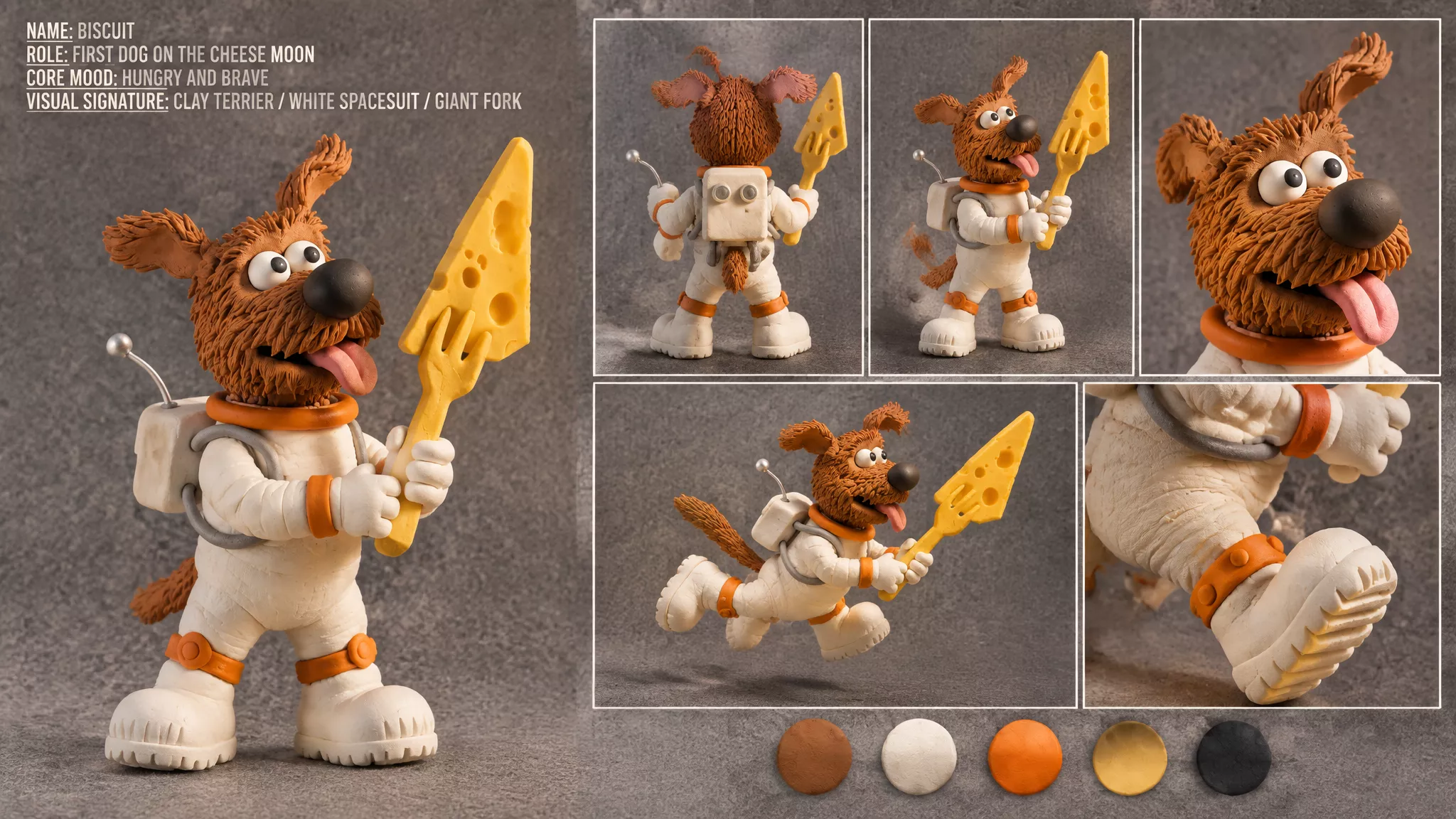
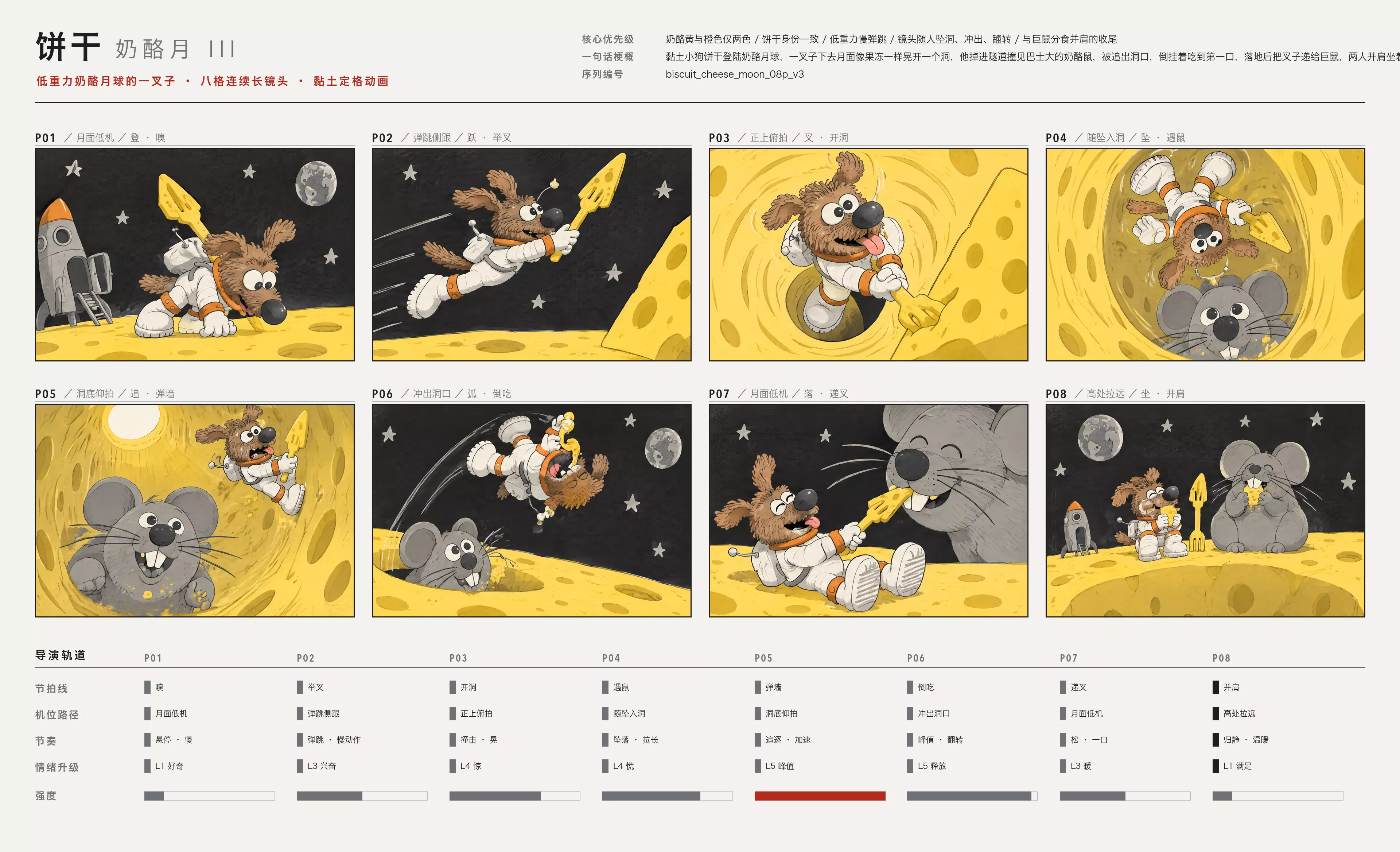
A clay astronaut follows a storyboard

Official output

Select Play to load this video.

Input references

Official clay-style dog astronaut character reference sheet
Official reference input 1
Official eight-panel storyboard for the dog astronaut and cheese moon sequence
Official reference input 2

Watch for: A clay-style dog astronaut jumps into a cheese-moon tunnel, meets a mouse, and returns to share a bite. Compare the action with the published storyboard.

Official Kling 4.0 demo 30.5s

One product across a campaign

Official output

Select Play to load this video.

Input references

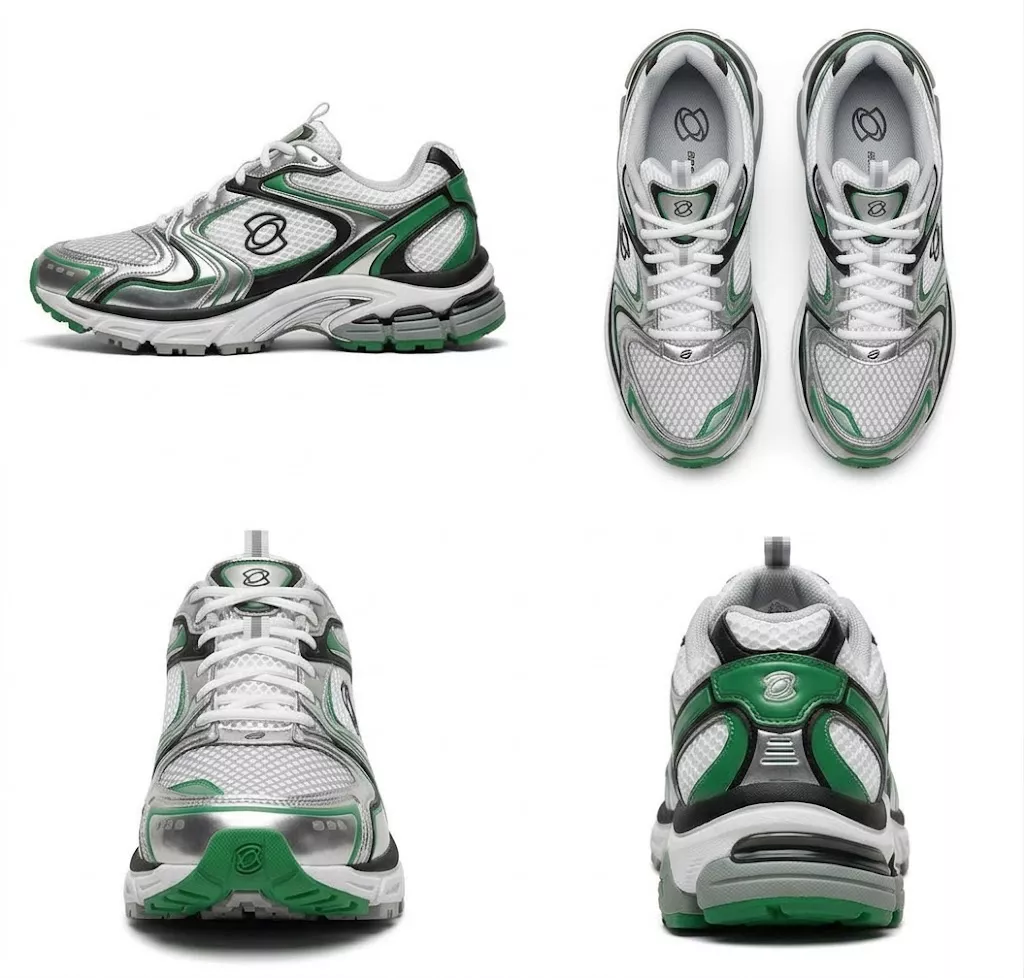
Official product reference showing green-and-silver trainers from several angles
Official reference input 1
Official adult female character reference for the footwear campaign
Official reference input 2
Official adult male character reference for the footwear campaign
Official reference input 3

Watch for: A footwear campaign moves from tying green-and-silver trainers to walking and running through city and nature scenes. Follow the shoe details as the location changes.

Social campaign concepts

Plan a clear opening, a visible action, and an ending. A longer native shot can leave room for a reveal or reaction. Choose references that agree on the subject, clothing, and setting instead of giving the model conflicting directions.

Product motion studies

Use a product image to define appearance and a permitted video reference to communicate movement. Specify which reference controls which detail. Check the silhouette, label, and proportions afterward; add mandatory campaign text through a controlled editing step when accuracy is essential.

Storyboards and film pitches

Map keyframes to important narrative moments rather than filling all ten slots automatically. State the camera position, action, and intended transition. Review the full sequence for continuity; an attractive still does not establish that a complete shot is usable.

Model information and site access

Kling 4.0 vs Kling 3.0

Compare the official 4.0 model with the 3.0 controls available here. This table is not a measured quality, speed, or cost comparison.

Official model specifications versus current site controls
Comparison pointKling 3.0 on this siteKling 4.0 official model
InputsText or one JPG, PNG, or WebP imageText, images, start/end frames, and mixed references
Duration5 or 10 seconds3–30 seconds for the regular model
Framing16:9, 9:16, or 1:1 for text; source-image framing in image mode21:9, 16:9, 1:1, 9:16, or smart framing
AudioCurrent generation is without soundStereo audio listed in the release note
Access hereStandard and Pro generatorNot connected; no generation or price here
Evidence hereFour documented Kling 3.0 Pro examplesOfficial demos from Kling AI; no site-generated 4.0 output or benchmark

Make the creative plan reusable

How to Plan a Kling 4.0 Video

These are preparation steps, not a demonstration of submitting Kling 4.0 on this site. Save a clear plan before choosing the service and settings.

  1. 01

    Define the subject and goal

    Describe what the viewer should notice first. Choose a product reveal, a character reaction, or a location introduction. Give each reference a role, such as appearance, motion, or composition.

  2. 02

    Map the narrative moments

    Write the opening, main action, and ending. Add a keyframe only when it clarifies an important change. Check that the planned events fit the chosen duration without unrelated scene changes.

  3. 03

    Describe the camera

    State the framing and viewpoint, then add one purposeful move. Keep subject motion separate from camera motion. Specify details that must remain visible throughout the shot.

  4. 04

    Set the review checklist

    List continuity, faces, product shape, text, and any audio timing that matters. Check the current service's actual controls before submitting. This site's existing practical walkthrough still covers Kling 3.0.

Separate variants and release status

Kling 4.0 Flash and Upcoming Features

The detailed release note distinguishes Flash from the regular model and marks two capabilities as upcoming. A headline or capability table should not override those status notes.

01

Kling 4.0 Flash

Flash has its own published range: 3–20 seconds, 720p, and 8-bit SDR. Its listed inputs include text, a first-frame image, and mixed references. Do not apply the regular model's thirty-second or 4K specifications to Flash. This site offers neither variant.

02

10-bit HDR is upcoming

The detailed announcement marks 1080p and 4K 10-bit HDR output as coming soon. Treat it as a planned capability, rather than an available delivery format. Check for an official status update before planning an HDR-dependent production.

03

Two-minute extension is upcoming

Repeated video extension up to two minutes is also marked coming soon. It is not a currently available single two-minute generation. This site publishes no 4.0 price; its existing credit packs apply to the available 3.0 workflow.

Release and availability

Kling 4.0 FAQ

Has Kling 4.0 been released?

Yes. The official announcement says the model opened to all users on October 15. This site has not connected it; official model release and availability in this independent editor are separate facts.

Can I generate with Kling 4.0 here?

No. This is an information page about official features and site availability. The current generator here uses Kling 3.0 Standard and Pro, with five- or ten-second videos without sound.

How is Flash different?

The official Flash table lists 3–20 seconds, 720p, and 8-bit SDR. Those limits differ from the regular model. Neither Flash nor regular Kling 4.0 is available to generate on this site.

Are HDR and two-minute videos available?

The detailed release note still marks 10-bit HDR and repeated extension up to two minutes as coming soon. Neither should be treated as a currently available output option or a single two-minute generation.

Does this page show Kling 4.0 examples or pricing?

It shows official Kling 4.0 demos and their published reference inputs, with links to the Kling AI announcement. These are the provider's examples, not this site's generated results or benchmarks. This site has no 4.0 credit rate or paid generation offer; its own documented samples come from Kling 3.0 Pro.

Continue with the available workflow

Create a Short Video with Kling 3.0

If your idea fits text or one source image and a five- or ten-second clip, use the current generator. Keep your creative plan so you can compare future service options against the same task.

For a requirement that depends on Kling 4.0, follow the official release note and verify the provider's current access. This information page does not submit a 4.0 task.

Open the Kling 3.0 editor