
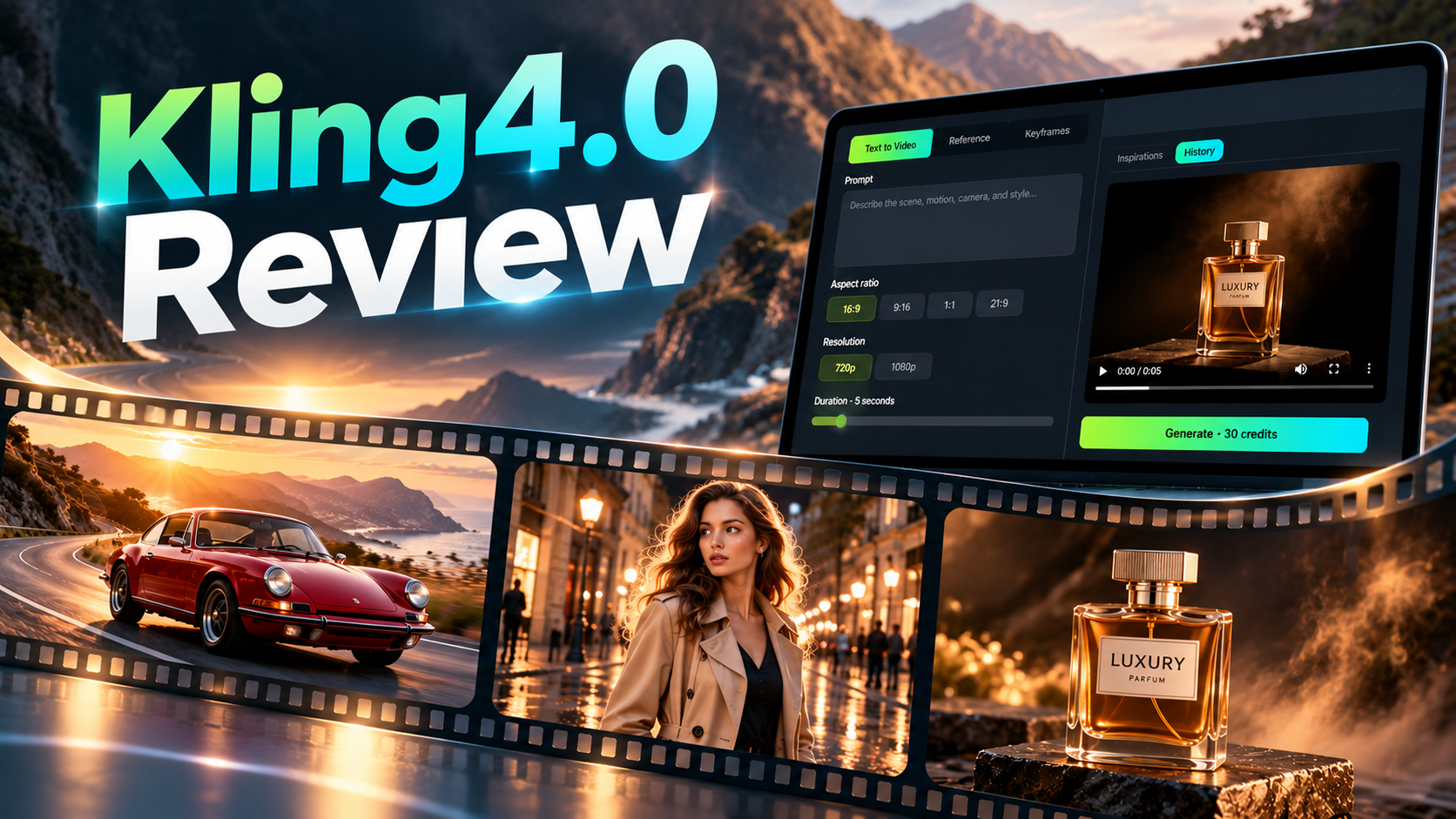
HomeKling 4.0 Review
Review
Kling 4.0 Review: Video Quality, New Features, Pricing, and Is It Worth It?
An in-depth Kling 4.0 review featuring three real-world video tests, exploring video quality, motion realism, character consistency, key features, pricing, and practical limitations to help you decide if it's worth using in 2026.
On this page
AI video generation is moving beyond short clips that simply look impressive. Creators increasingly need realistic motion, consistent characters, reliable camera movement, and greater control over how a scene develops.
Kling 4.0 aims to meet these demands with longer video generation, reference-based creation, keyframe controls, and audiovisual capabilities. But how well does it perform outside official promotional demonstrations?
For this Kling 4.0 review, we examined three actual five-second videos generated through Kling40AI. The tests cover cinematic vehicle motion, character consistency, and commercial product advertising.
The results reveal an important distinction: Kling 4.0 can produce visually convincing short clips, but attractive video quality does not always mean every instruction in a detailed prompt is followed.
In this review, we examine Kling 4.0's features, actual video outputs, practical limitations, generation workflow, credit-based pricing, and whether it is worth using in 2026.
Kling 4.0 Review: Quick Verdict
Our verdict: Kling 4.0 is a promising AI video generator for cinematic short clips, lifestyle content, and product advertising, although precise motion instructions can still require refinement.
Across our three tests, the model produced recognizable subjects, attractive lighting, and generally coherent scenes. Its strongest demonstrated qualities were visual composition, short-clip consistency, and cinematic presentation.
However, some requested actions were simplified or not fully completed.
| Category | Our Assessment |
|---|---|
| Cinematic video quality | Strong across the three samples |
| Motion realism | Convincing in relatively simple scenes |
| Character consistency | Generally stable in the street scene |
| Camera control | Basic movements worked; complex directions were less reliable |
| Product advertising | Strong lighting and close-up composition |
| Prompt adherence | Mixed for multi-step actions |
| Reference generation | Available, not independently tested |
| Keyframe control | Available, not independently tested |
| Pricing | 30 credits for the tested five-second configuration |
These findings are based on three real five-second outputs. They are not a comprehensive benchmark of every Kling 4.0 capability.
Bottom line: Kling 4.0 is worth exploring if you want polished short-form AI videos and are comfortable reviewing or regenerating clips when exact actions matter.
What Is Kling 4.0?
Kling 4.0 is an AI video generation model in the Kling AI ecosystem, designed for workflows ranging from straightforward text-to-video generation to more structured creation using visual references and keyframes.
The model's creative tools are relevant to several production challenges:
- Turning text descriptions into moving scenes
- Maintaining recognizable subjects within a clip
- Guiding visual appearance with reference materials
- Planning transitions using keyframes
- Creating longer video sequences
- Supporting audiovisual storytelling where available

On Kling40AI, creators can access three primary generation workflows: Text to Video, Reference, and Keyframes.
For this review, we tested actual Text to Video outputs. Reference, Keyframes, and audio capabilities are discussed as available workflows rather than independently verified performance results.
Kling 4.0 Features and Specifications
Kling 4.0 provides more than a simple prompt box. The available workflow determines how much guidance creators can provide and how a video is generated.
The following table summarizes the options presented by Kling40AI.
| Feature | Kling40AI Workflow |
|---|---|
| Text-to-video generation | Text to Video mode |
| Reference-based creation | Reference mode |
| Keyframe-guided generation | Keyframes mode |
| Video duration | 3–30 seconds |
| Resolution options | 720p and 1080p |
| Aspect ratios | 16:9, 9:16, 1:1, and 21:9 |
| Reference materials | Up to 10 images and 5 videos, subject to workflow limits |
| Keyframe guidance | Starting frame with optional additional frames |
| Audio | Availability depends on the generation workflow |
| Generation management | History and video preview |
These are workflow capabilities, not guaranteed outcomes. Actual video quality depends on the prompt, source materials, settings, and scene complexity.
Kling 4.0 Video Quality: Three Real-World Tests
To evaluate Kling 4.0 beyond feature descriptions, we examined three actual videos generated using the Text to Video workflow on Kling40AI.
Each clip was approximately five seconds long at 24 frames per second.
The tests covered three different production challenges:
- Cinematic vehicle motion and camera tracking
- Character consistency and natural movement
- Product advertising and visual consistency
The observations below are based on the generated videos rather than predicted results or official demonstration footage.
Test 1: Cinematic Motion and Camera Tracking
Test Objective
Evaluate whether Kling 4.0 can generate a convincing moving vehicle while maintaining its appearance, surrounding environment, and camera perspective.
Test Prompt
A vintage red sports car drives along a winding mountain road at golden hour. The camera follows the car from a low side angle before gradually moving toward the front. Natural sunlight reflects across the polished bodywork. Maintain consistent vehicle proportions, realistic wheel rotation, smooth camera movement, and accurate environmental perspective. Cinematic realism, natural motion blur, 16:9.
Test Configuration
| Setting | Value |
|---|---|
| Generation mode | Text to Video |
| Duration | Approximately 5 seconds |
| Aspect ratio | 16:9 |
| Evaluation focus | Vehicle consistency, camera movement, cinematic realism |
Actual Video Output
Kling 4.0 — Red Sports Car on a Mountain Road
The generated video shows a red classic sports car traveling along a mountain road in warm, late-day sunlight.
The scene maintains a coherent cinematic appearance throughout the short sequence.
What Worked Well
Consistent vehicle appearance
The car's overall body shape remains recognizable as the viewing angle changes. Its red paint, rounded headlights, and general proportions stay visually consistent.
Coherent camera movement
The camera begins with a side-oriented composition and gradually reveals more of the vehicle's front, broadly following the requested direction.
Natural cinematic lighting
The mountain road and surrounding landscape maintain believable perspective. Sunlight creates attractive highlights across the car's surface.
What Could Be Improved
The camera movement is relatively modest.
Although the viewpoint changes, the result does not demonstrate a particularly ambitious tracking maneuver.
The clip also does not provide enough evidence to judge demanding vehicle dynamics, such as sharp cornering, suspension behavior, or high-speed wheel motion.
Test 1 Verdict
Kling 4.0 delivered a coherent cinematic driving shot with good visual continuity and attractive lighting.
Assessment: Promising for relatively straightforward automotive promotional footage, but more demanding tests are needed to evaluate advanced motion control.
Test 2: Character Consistency and Natural Movement
Test Objective
Evaluate whether Kling 4.0 can maintain a character's appearance and clothing while following a short sequence of walking, turning, and facial-expression instructions.
Test Prompt
A woman wearing a beige trench coat walks through a European city street after light rain. The camera tracks backward in front of her as she walks. She briefly turns toward a shop window and smiles before continuing forward. Preserve consistent facial features, hairstyle, clothing, and body proportions. Natural walking motion, realistic fabric movement, warm evening lighting, cinematic realism, 16:9.
Test Configuration
| Setting | Value |
|---|---|
| Generation mode | Text to Video |
| Duration | Approximately 5 seconds |
| Aspect ratio | 16:9 |
| Evaluation focus | Character consistency, natural movement, prompt adherence |
Actual Video Output
Kling 4.0 — Woman Walking Through a European Street
The generated scene shows a woman wearing a beige trench coat walking through an atmospheric European-style street.
Warm storefront lighting, wet pavement, and architectural details contribute to its cinematic appearance.
What Worked Well
Stable character appearance
The character's clothing remains generally consistent throughout the sequence. The beige trench coat, dark accessories, and hairstyle retain their recognizable appearance.
Coherent street environment
The background remains visually consistent as the character moves through the scene.
Convincing atmosphere
Reflections on the wet pavement and warm lighting create a believable post-rain environment.
The overall result is visually suitable for lifestyle and fashion-oriented short-form content.
What Could Be Improved
The requested action of turning toward a shop window and smiling is not clearly expressed as a complete, distinct sequence.
Although the character's orientation changes, the video does not fully communicate every action described in the prompt.
This limitation matters for creators who need precise character blocking, facial expressions, or narrative actions.
Test 2 Verdict
Kling 4.0 demonstrated good short-form character and clothing continuity, along with convincing environmental composition.
Assessment: Promising for fashion and lifestyle content, but scenes requiring precise expressions or sequential character actions may need additional iterations.
Test 3: Product Advertising and Visual Consistency
Test Objective
Evaluate whether Kling 4.0 can create an attractive commercial product shot while preserving the bottle's overall appearance and following camera movement instructions.
This was a Text to Video test without an original product reference image. It therefore evaluates consistency within the generated clip, not exact reproduction of a real commercial product.
Test Prompt
A premium cinematic advertisement featuring an amber perfume bottle on a dark stone pedestal. The camera slowly orbits the bottle while warm studio lighting reveals the glass texture and metallic cap. Fine mist moves gently in the background. Finish with a close-up hero shot. Preserve the exact bottle shape, label placement, cap proportions, and glass color throughout the video. Photorealistic commercial cinematography, 16:9.
Actual Video Output
Kling 4.0 — Amber Perfume Product Advertisement
The generated video shows a luxury-style perfume bottle against a dark studio background.
Warm directional lighting illuminates the amber glass and metallic cap. The composition develops from a wider product view into a much closer shot.
What Worked Well
Recognizable product appearance
The bottle's overall silhouette, amber color, and metallic cap remain recognizable throughout the clip.
Attractive studio lighting
The lighting creates appealing reflections on the glass, giving the product a premium commercial appearance.
Effective final close-up
The ending shot makes the label and cap more prominent, creating a strong product-focused composition.
What Could Be Improved
The requested camera orbit is not fully realized.
The visible movement is primarily a change from a wider view to a closer product composition rather than a clear, continuous orbit around the bottle.
Although the label is visible, exact text and packaging accuracy cannot be established without comparing the output against a supplied product reference.
This matters for real advertising projects, where packaging details must match the original product.
Test 3 Verdict
Kling 4.0 produced an attractive short product advertisement with convincing lighting, glass reflections, and a strong final close-up.
Assessment: Strong potential for product concepts and promotional visuals, but exact camera choreography and brand-specific packaging require careful review.
Kling 4.0 Test Results: What Did We Learn?
Across the three videos, the most consistent strength was visual coherence.
All three clips maintained recognizable subjects and relatively stable environments over their short durations.
The most noticeable weakness was incomplete execution of detailed instructions.
For creative concept generation, some flexibility may be acceptable. For tightly scripted commercial work, additional prompting, reference materials, or regeneration may be necessary.
Important limitation: Three short videos cannot establish overall model reliability, longer-duration performance, or the practical benefits of Reference and Keyframes modes.
Kling 4.0 Features: What Matters in Real Projects?
The three tests focused on Text to Video, but Kling 4.0 also provides additional workflows for projects requiring more control.
Longer Video Generation
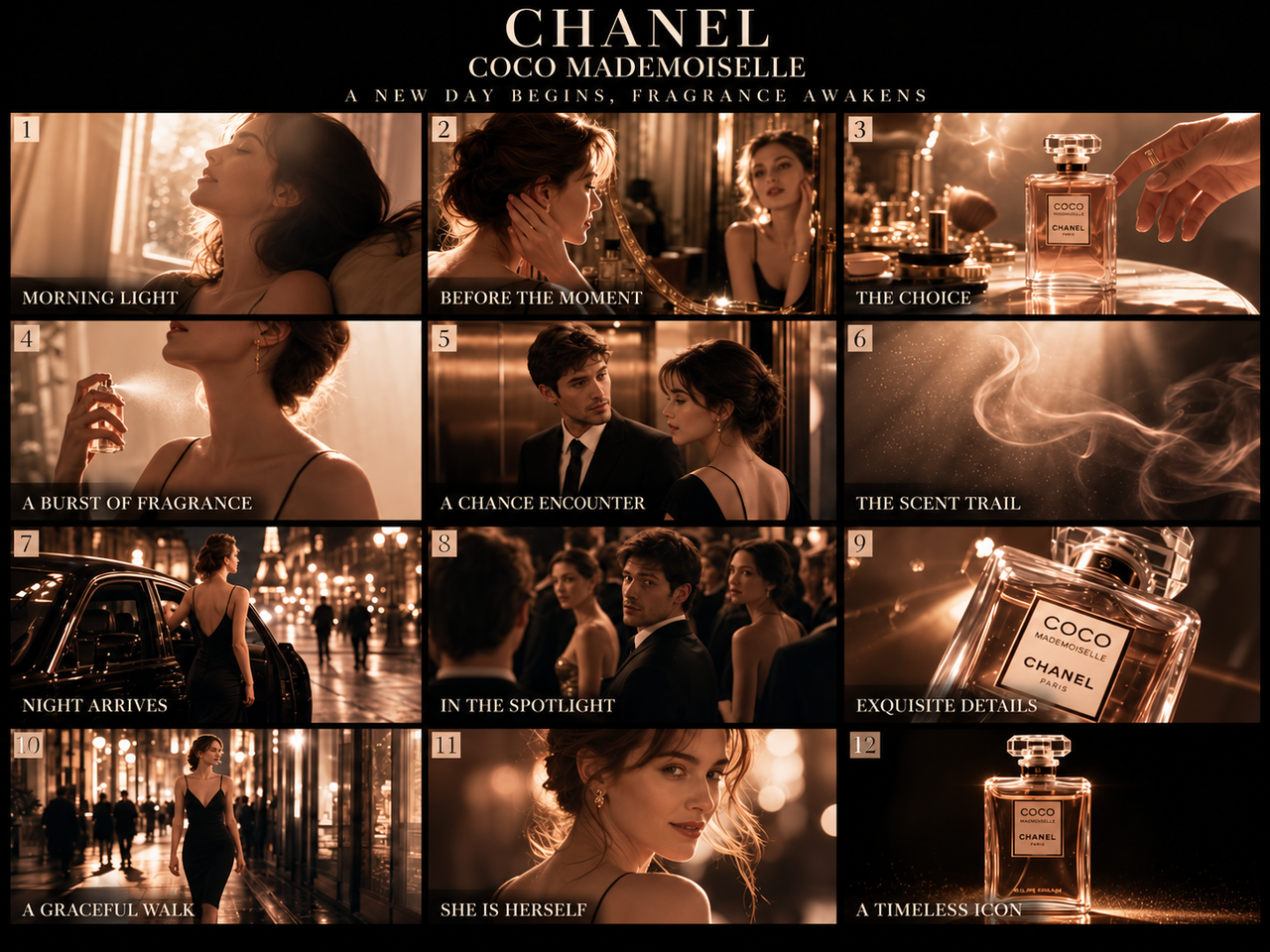
Kling40AI supports video durations from 3 to 30 seconds.
A longer clip gives creators more time to establish a setting, develop an action, and finish with a clear visual moment.
For example, a travel advertisement might begin with a wide view of a mountain lake, follow a small boat moving across the water, and finish with a close-up of the surrounding landscape.
Longer generation can reduce the need to create multiple separate clips and combine them during editing.
However, longer videos introduce additional challenges. The model must preserve subject identity, scene continuity, and believable movement over more frames.
Our tests were limited to five-second outputs, so longer-duration reliability remains unverified in this review.
Reference-Based Generation
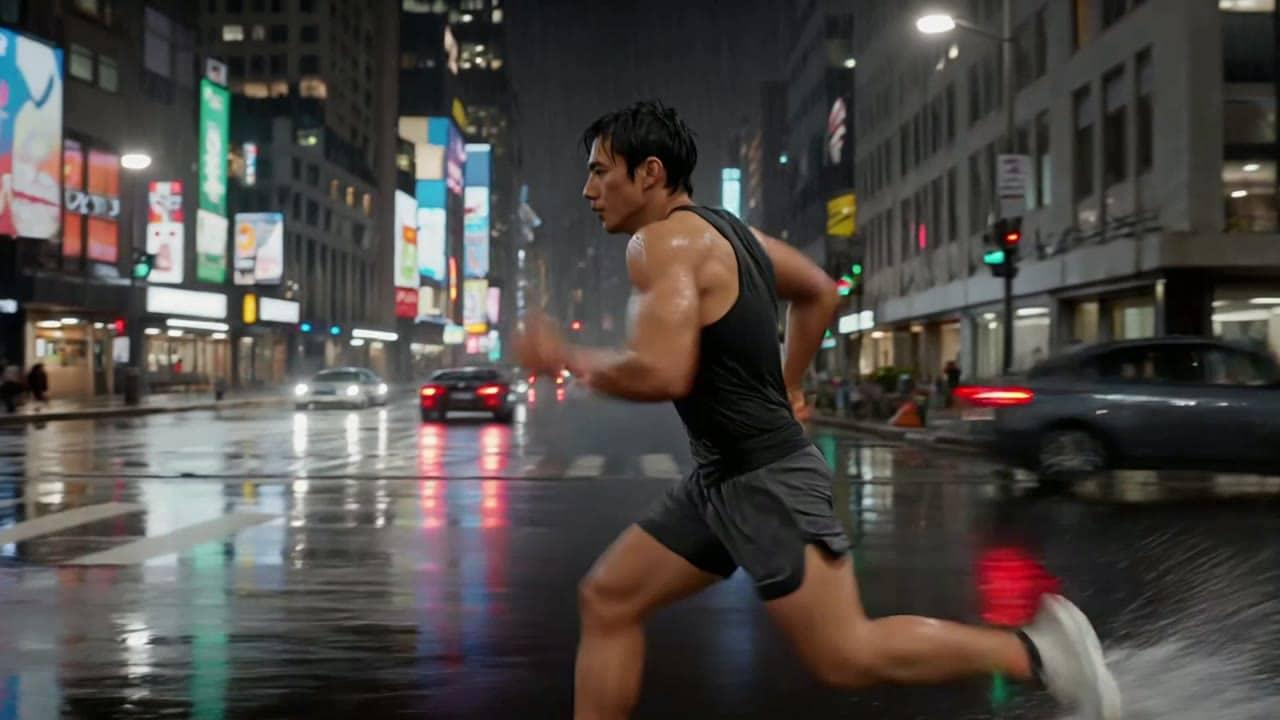
Reference-based generation allows creators to provide visual materials rather than relying entirely on written descriptions.
This is useful when a project requires recognizable characters, products, clothing, or environments.
Kling40AI's Reference workflow supports multiple visual inputs, with limits depending on the selected configuration.
For example, a fashion campaign might use reference images to guide a model's appearance and outfit. A product advertisement might use an image of the original product to communicate its shape and packaging.
References provide additional guidance, but they do not guarantee exact identity or product reproduction.
Our character test used Text to Video rather than a supplied identity reference. It demonstrates short-clip visual continuity, not reference-based identity matching.
Keyframe Control
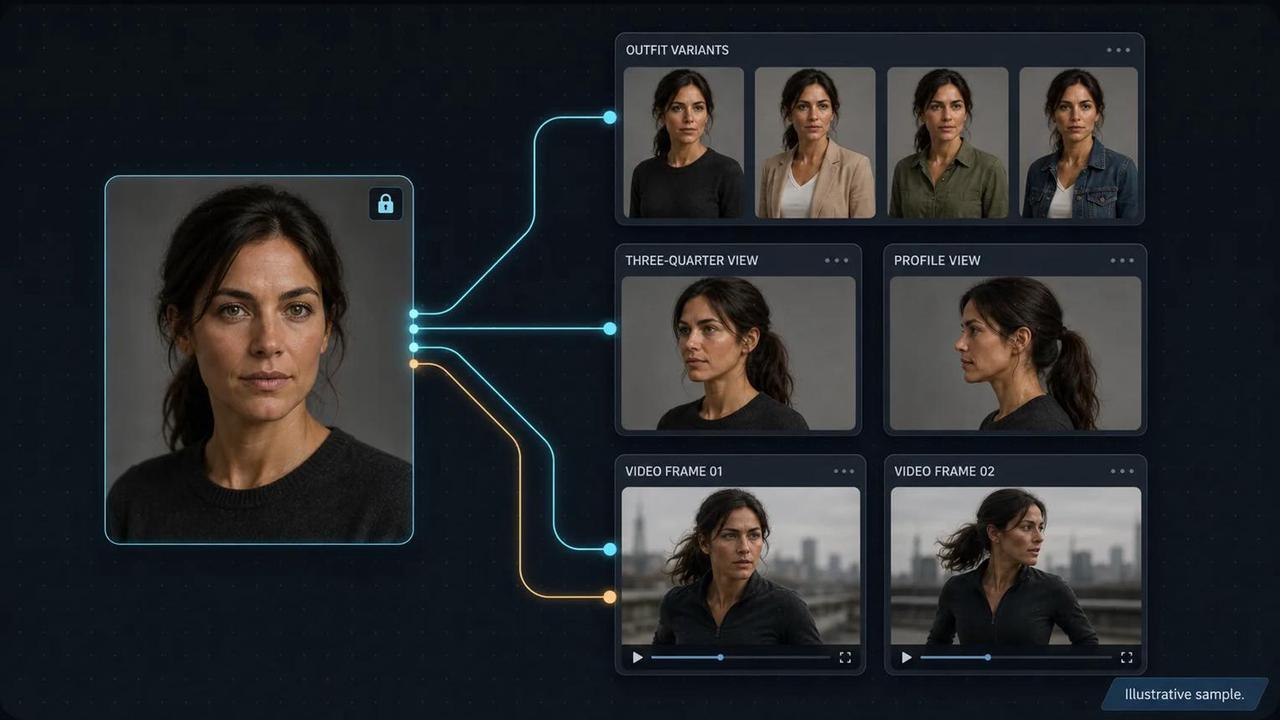
Keyframes help creators define important visual moments in a video sequence.
Instead of describing every transition with text, a creator can provide images representing the intended starting point and additional stages.
For example, a product reveal could begin with a closed presentation box, transition to the box opening, and finish with a close-up of the product.
Kling40AI provides a dedicated Keyframes mode, including a required starting frame and optional additional frames.
This approach may be useful for product reveals, scene transitions, and structured storytelling.
Our three uploaded videos did not use this mode, so we did not independently evaluate keyframe accuracy or transition reliability.
Audiovisual Capabilities
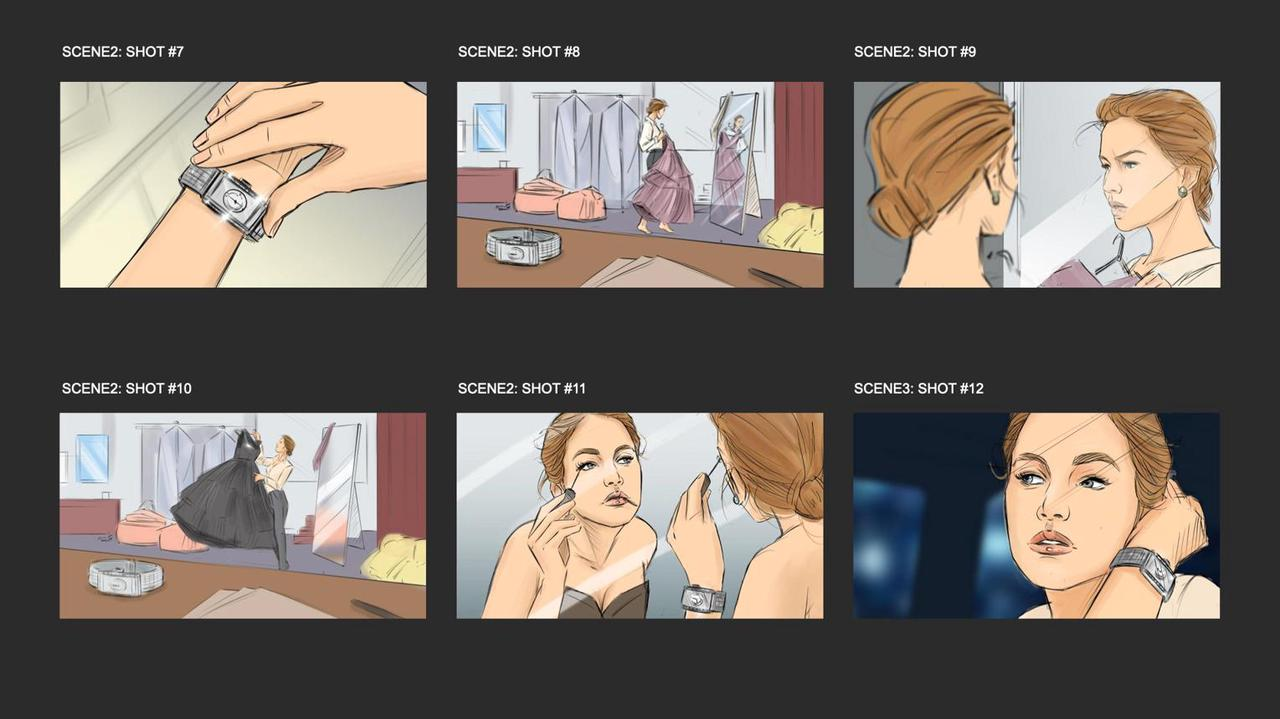
Audiovisual generation is increasingly important for AI video workflows.
Creators may need dialogue, environmental sounds, or sound effects that correspond to visible action.
For example, a café scene might combine the sound of an espresso machine with background conversation.
The availability of audio output and related controls depends on the selected generation workflow.
Our tests focused on visual performance. We did not conduct a controlled assessment of dialogue quality, lip synchronization, or audio consistency.
Resolution and Aspect Ratios

Kling40AI offers two output resolution options: 720p and 1080p.
It also supports four aspect ratios.
For initial prompt testing, 720p can be a practical starting point because creators can evaluate the scene before committing additional credits to higher-resolution output.
1080p may be preferable for publishing or further editing.
However, higher resolution cannot correct an incomplete action, inconsistent subject, or camera movement that does not match the prompt.
How to Use Kling 4.0 on Kling40AI
Kling40AI provides a browser-based generation workspace with three primary modes.
Step 1: Open the Video Generator
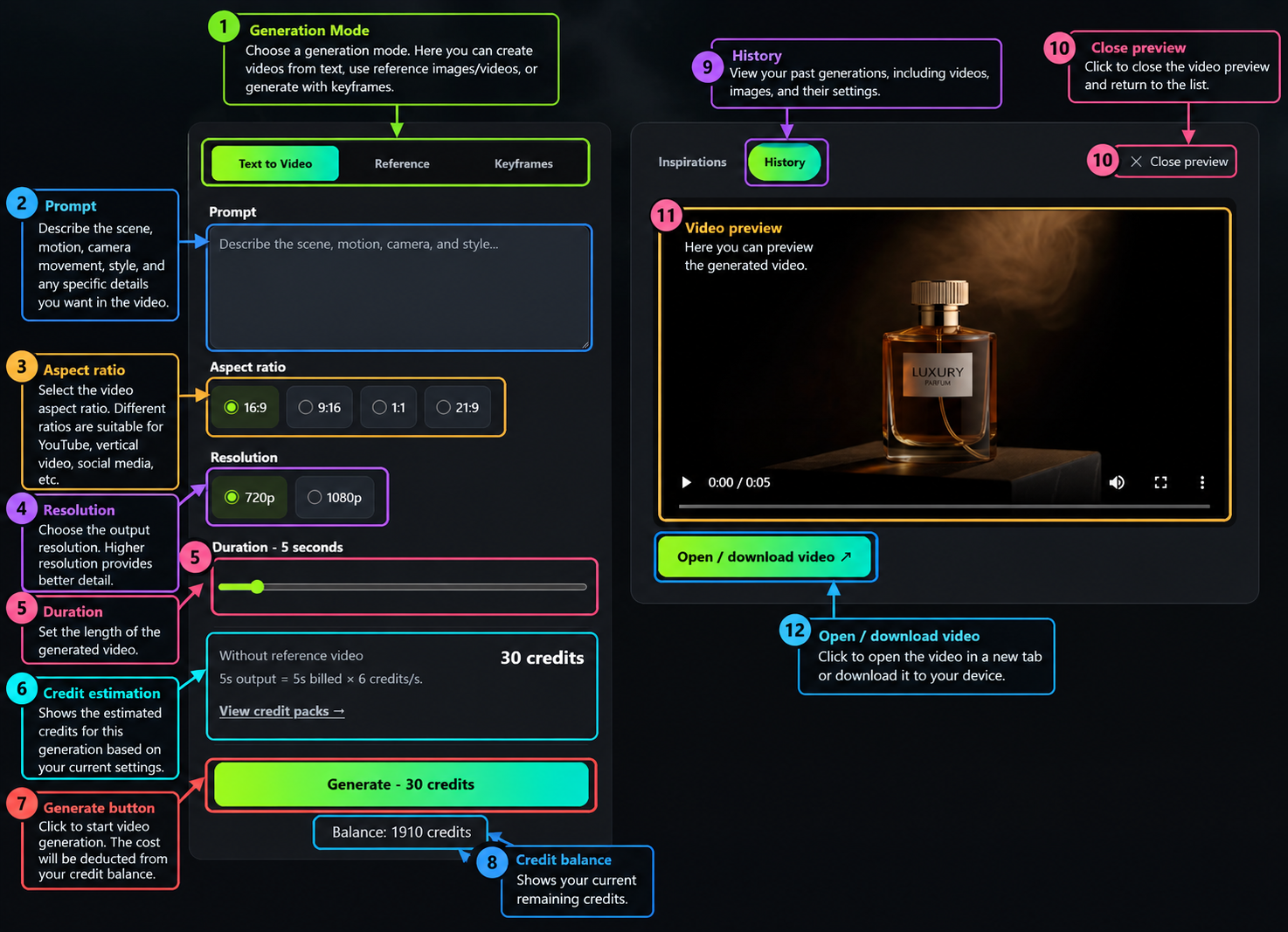
Visit Kling40AI and open the Kling 4.0 generation interface.
Step 2: Choose a Generation Mode

Select Text to Video, Reference, or Keyframes.
For a straightforward test, Text to Video is the simplest starting point.
Step 3: Write Your Prompt
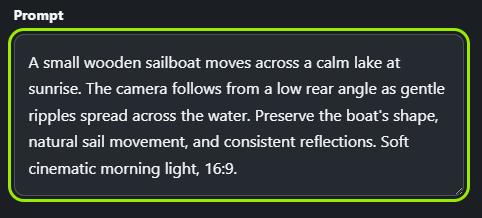
Describe the subject, environment, action, camera direction, and important consistency requirements.
For example:
A small wooden sailboat moves across a calm lake at sunrise. The camera follows from a low rear angle as gentle ripples spread across the water. Preserve the boat's shape, natural sail movement, and consistent reflections. Soft cinematic morning light, 16:9.
Step 4: Choose Your Output Settings
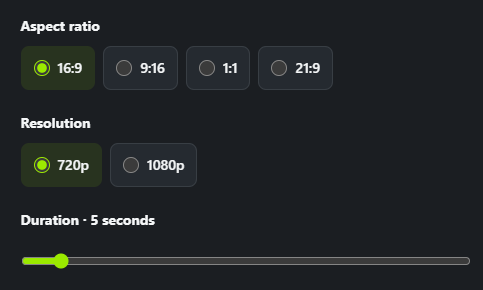
Select an aspect ratio, resolution, and duration.
The supplied interface shows 720p and 1080p options, with 16:9, 9:16, 1:1, and 21:9 aspect ratios.
Step 5: Review the Credit Estimate
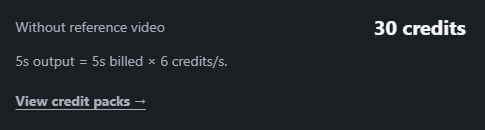
Before submitting, check the displayed cost.
The amount may change depending on duration, resolution, and generation mode.
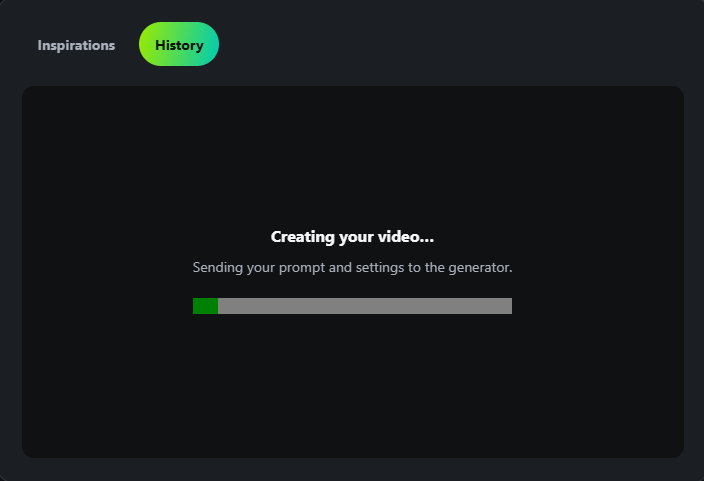
Step 6: Generate the Video

Submit the request.
The History panel displays the processing status and generation progress.
Step 7: Review and Refine
Watch the complete output rather than judging only the opening frame.
Check whether the subject remains consistent, whether the camera follows the requested movement, and whether important actions actually occur.
Our tests show why this step matters: a video may look polished while omitting part of the prompt.
Kling 4.0 Pricing: How Much Does It Cost?
Kling40AI uses a credit-based system for video generation.
The estimated credit cost is displayed before submitting a generation task.
In the tested configuration, a five-second 720p Text to Video clip without a reference video cost 30 credits, equivalent to 6 credits per second.
Calculation:
5 seconds × 6 credits per second = 30 credits
This is a verified example from the generation interface, not a universal price for every Kling 4.0 configuration.
Costs can vary depending on resolution, duration, and reference-video inputs. When reference videos are used, their combined duration may also affect billing.
Creators should check the live credit estimate before submitting each task.
Understanding the Cost of a Usable Video
The cost of one generation is not necessarily the cost of obtaining a usable clip.
For example, a product video might look attractive but still require regeneration because the camera movement does not follow the intended direction.
A practical way to evaluate spending is:
Cost per usable clip = Total credits spent ÷ Number of usable outputs
If you generate several versions before selecting one, the effective cost of that final clip will be higher than the price of a single attempt.
Our tests demonstrate why prompt adherence should be considered alongside visual quality and generation cost.
Best Use Cases for Kling 4.0
1. Cinematic Promotional Videos
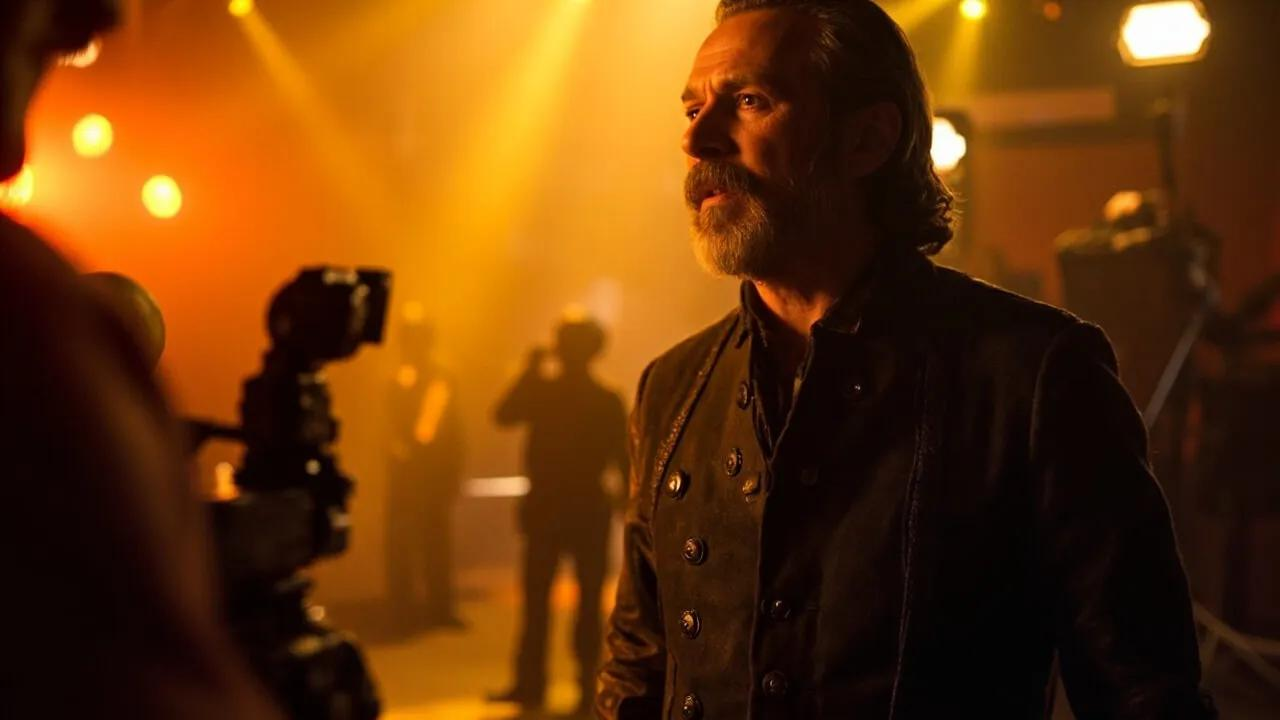
The sports car test demonstrated coherent visual composition, natural-looking lighting, and stable subject appearance.
This makes Kling 4.0 worth exploring for automotive concepts, scenic promotional footage, and short cinematic sequences.
2. Fashion and Lifestyle Content
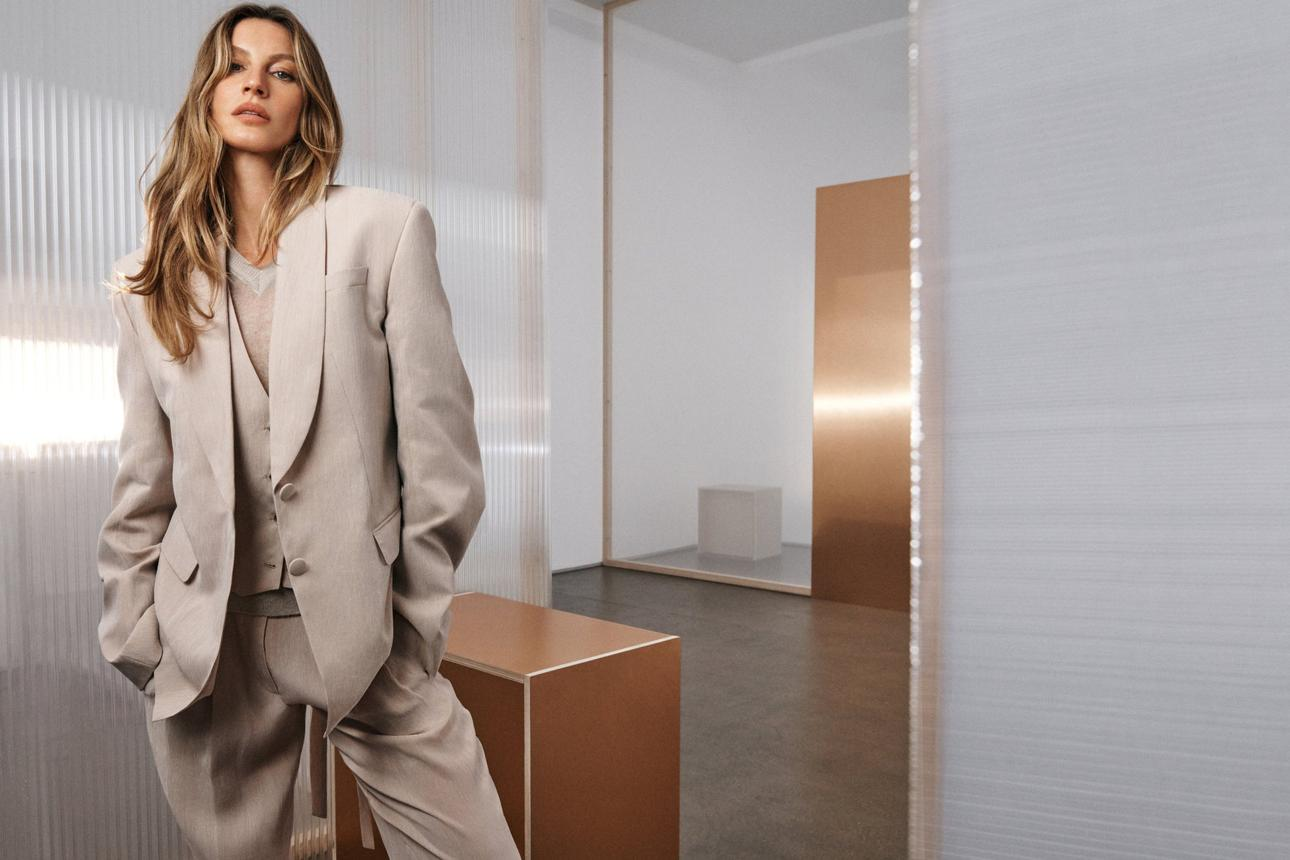
The character test showed that a short walking scene can maintain recognizable clothing and a consistent environment.
This is relevant for fashion mood videos, lifestyle campaigns, and social media content.
However, creators should verify any required expressions or character actions.
3. Product Advertising

The perfume test demonstrated attractive product lighting and close-up composition.
These qualities can be useful for product concepts, promotional visuals, and advertising storyboards.
Exact brand packaging and camera choreography still require review.
4. Structured Storytelling

Kling 4.0's reference and keyframe workflows provide options for creators who need more structured control.
These capabilities are particularly relevant to longer sequences, although they were not independently evaluated in the three tests.
Kling 4.0 Pros and Cons
| Pros | Cons |
|---|---|
| Strong cinematic appearance in our samples | Detailed instructions were not always fully followed |
| Generally stable short-clip subjects | Complex camera movements may be simplified |
| Attractive lighting and visual composition | Character actions can be incomplete |
| Effective product close-up generation | Exact packaging accuracy needs verification |
| Multiple generation workflows | Reference and keyframe performance not tested here |
| Adjustable output settings | Additional attempts consume credits |
| Longer native generation capability | Longer-duration reliability not established by these tests |
How to Get Better Results From Kling 4.0
The results of our tests suggest that focused prompts may be easier to evaluate and refine than prompts containing several competing actions.
A useful structure is:
Subject + Environment + Primary Action + Camera Movement + Consistency Requirements
Keep Camera Instructions Specific
Instead of asking for several complex camera movements, define one clear action.
For example:
The camera slowly pushes toward the product while maintaining a centered composition and stable perspective.
This is easier to evaluate than combining an orbit, tilt, zoom, and tracking movement within five seconds.
Prioritize Essential Character Actions
If a character must perform a particular movement, make that action the main focus of the prompt.
For example:
The woman stops beside the shop window, turns her head toward the display, and holds a gentle smile.
This gives the requested action more room to develop.
Use References When Details Matter
For products, characters, and recognizable objects, reference-based generation can provide visual guidance that text alone may not communicate.
A written prompt can describe an amber perfume bottle, but it cannot guarantee accurate reproduction of a particular brand's packaging.
Match Prompt Complexity to Duration
A five-second clip is better suited to one focused action than a long sequence of unrelated events.
For more complex storytelling, consider a longer duration or keyframe guidance where available.
Evaluate the Entire Clip
Check the beginning, middle, and end of every generated video.
Pay particular attention to whether important subjects remain consistent and whether requested actions are actually completed.
Kling 4.0 vs Kling 3.0: Should You Upgrade?
Kling 4.0 expands the creative workflows available within the Kling model family.
Longer video generation, reference-based creation, and keyframe guidance may provide advantages for projects requiring more structure.
However, additional features do not automatically mean that every Kling 4.0 output is better than Kling 3.0.
A reliable comparison should use the same prompts, similar output settings, and equivalent evaluation criteria.
The most useful factors to examine include:
- Motion realism
- Character consistency
- Camera control
- Prompt adherence
- Generation cost
Our three tests evaluate Kling 4.0 independently. They should not be interpreted as proof that it outperforms Kling 3.0.
For a direct model comparison, read our Kling 4.0 vs 3.0 guide.
Frequently Asked Questions
Is Kling 4.0 good for AI video generation?
Our three short tests produced visually coherent clips with attractive lighting and recognizable subjects. However, some detailed camera and action instructions were not fully executed.
How realistic is Kling 4.0?
The tested clips showed convincing visual composition and generally stable subjects. More complex physical interactions and longer sequences require additional evaluation.
Is Kling 4.0 good for product advertising?
The perfume test produced attractive commercial-style footage, including warm glass reflections and a strong close-up. Exact product and label accuracy should still be verified when working with real branded products.
Can Kling 4.0 maintain character consistency?
The character in our short street scene remained broadly consistent in appearance and clothing. This does not establish performance across multiple clips or reference-based identity matching.
Does Kling 4.0 follow camera movement instructions?
It followed some broad camera directions in our tests, but the requested perfume orbit was not fully executed. Camera adherence can vary depending on scene complexity and prompt structure.
How long can Kling 4.0 generate videos?
Kling40AI supports video durations from 3 to 30 seconds. Available settings may vary depending on the selected workflow.
What resolution does Kling 4.0 support on Kling40AI?
Kling40AI currently offers 720p and 1080p generation options. Creators can choose a resolution based on their quality requirements and available credits.
How much does Kling 4.0 cost?
The tested Kling40AI interface showed 30 credits for a five-second 720p Text to Video generation without a reference video. Other configurations may have different costs.
Does Kling 4.0 support reference images and videos?
Yes. Kling40AI provides a Reference workflow supporting multiple visual inputs, subject to the applicable limits.
Does Kling 4.0 support keyframes?
Yes. Kling40AI includes a Keyframes mode with a required starting frame and optional additional frames. Our three real-world tests did not use this mode.
Is Kling 4.0 better than Kling 3.0?
Kling 4.0 provides expanded creative workflows, but a reliable visual-quality comparison requires matched tests using both models.
Final Verdict: Is Kling 4.0 Worth It?
Kling 4.0 offers a compelling set of creative tools for AI video generation, including longer video durations, reference-based workflows, and keyframe controls.
Our three real-world samples provide a grounded view of its practical strengths and limitations.
The sports car video demonstrated stable vehicle appearance and coherent cinematic movement.
The character test showed generally consistent clothing and environmental continuity, although the requested turn and smile were not clearly completed.
The perfume advertisement delivered attractive product lighting and a strong final close-up, but did not fully execute the requested orbit.
Together, these results suggest that Kling 4.0 is particularly useful for visually polished short-form content where some creative flexibility is acceptable.
For projects requiring exact choreography, complex camera movement, or brand-specific detail preservation, additional prompting, visual references, and review may be necessary.
Our final assessment: Kling 4.0 delivered promising visual quality and short-form consistency across these three tests. Its main limitation was not a lack of cinematic appearance, but the difficulty of following every detailed instruction precisely.
If you want to experiment with cinematic scenes, product videos, or creative short-form content, try Kling 4.0 on Kling40AI and evaluate the results using your own prompts.